
Introducing Conditional Exits
The second most requested feature on Sensibull is the ability to exit all positions when the underlying index (i.e.NIFTY, SENSEX, etc.) goes above or below a certain level. We are therefore excited to roll out the new ‘Conditional Exit’ feature on Sensibull’s Positions page for all Zerodha users which helps with exactly this.
Here’s are demo videos where Sensibull’s Sagar explains how this feature works in detail, in both desktop web as well as Sensibull mobile app.
Desktop web demo:
Mobile app demo
If you prefer reading on rather than watching a video, let’s illustrate how this feature works with an example.
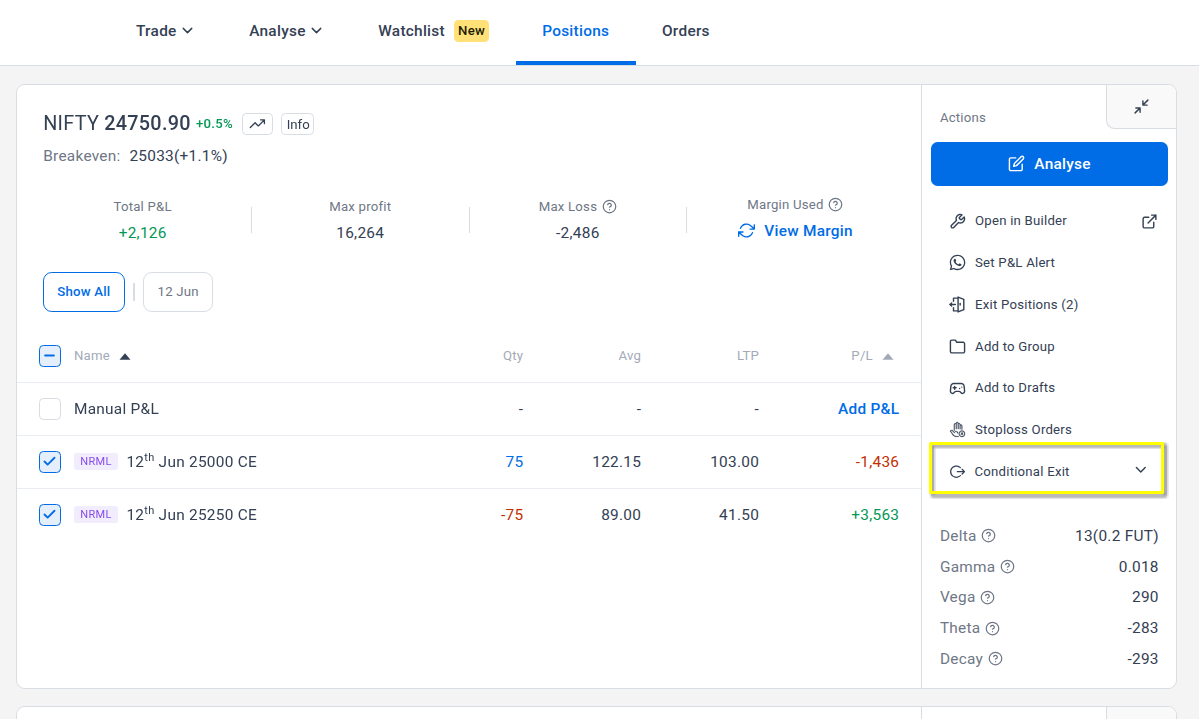
Let’s say you have a ‘Bull Call Spread’ in your positions as shown below. You might want to auto-exit your positions if NIFTY were to fall by 1%. To do this, access the ‘Conditional Exit’ button from Sensibull’s positions page.
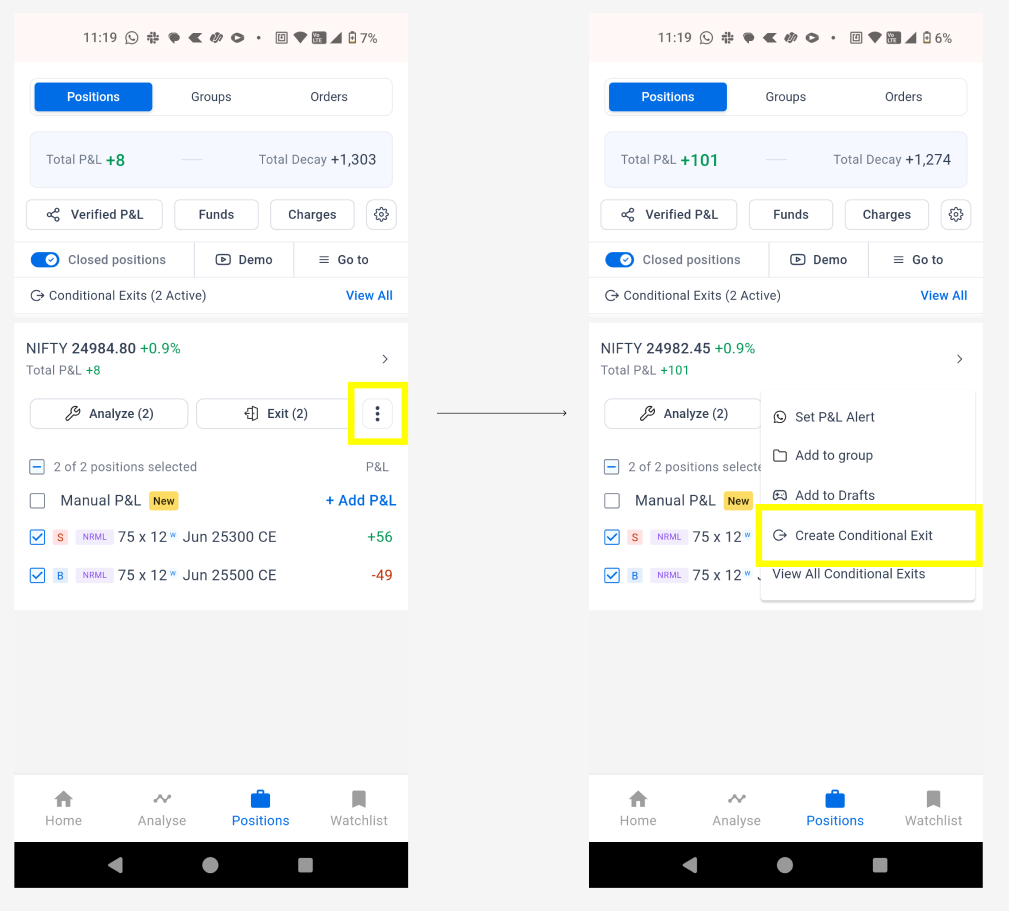
On Sensibull Mobile App, this is accessible from the drop-down actions for each index, in the Positions screen as shown below:
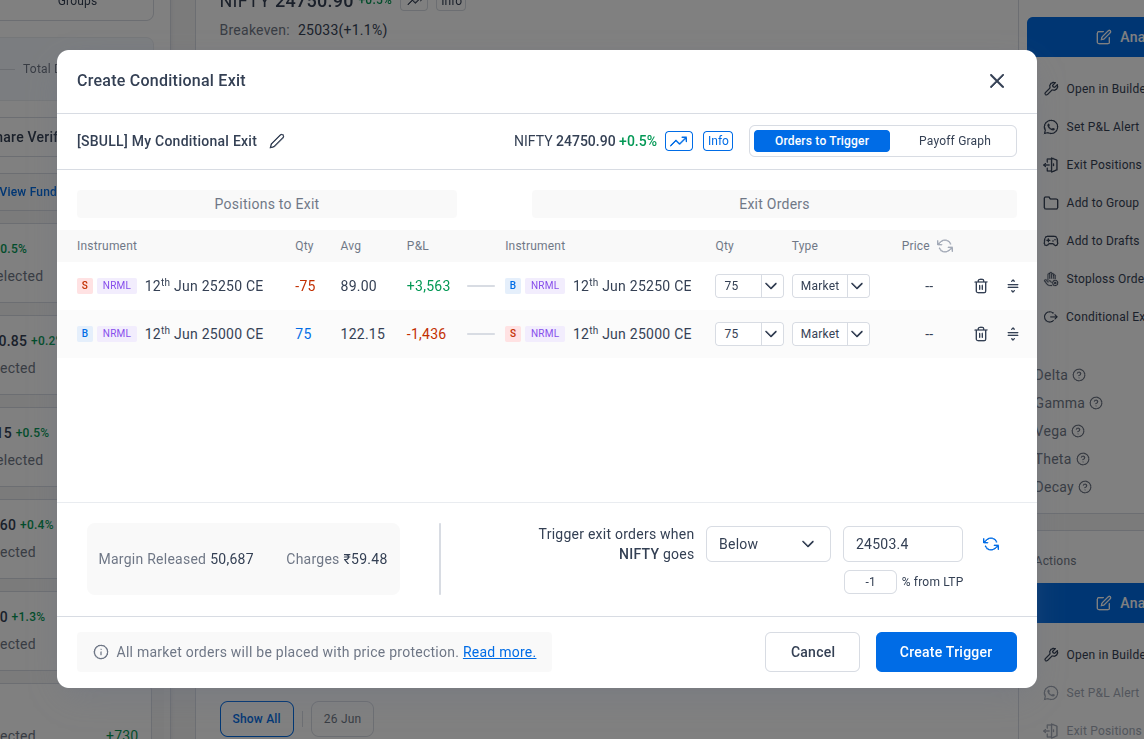
You can now access Sensibull’s Conditional Exit modal. You can set 2 orders to trigger when NIFTY goes down 1% from its current value. These will execute in the same sequence as you specify in this modal.
And here’s another cool thing. Wouldn’t it be nice if you could see your approximate P&L when NIFTY reaches that level you’ve set? To see this, switch the tab on the top right to access the ‘Payoff’ screen:
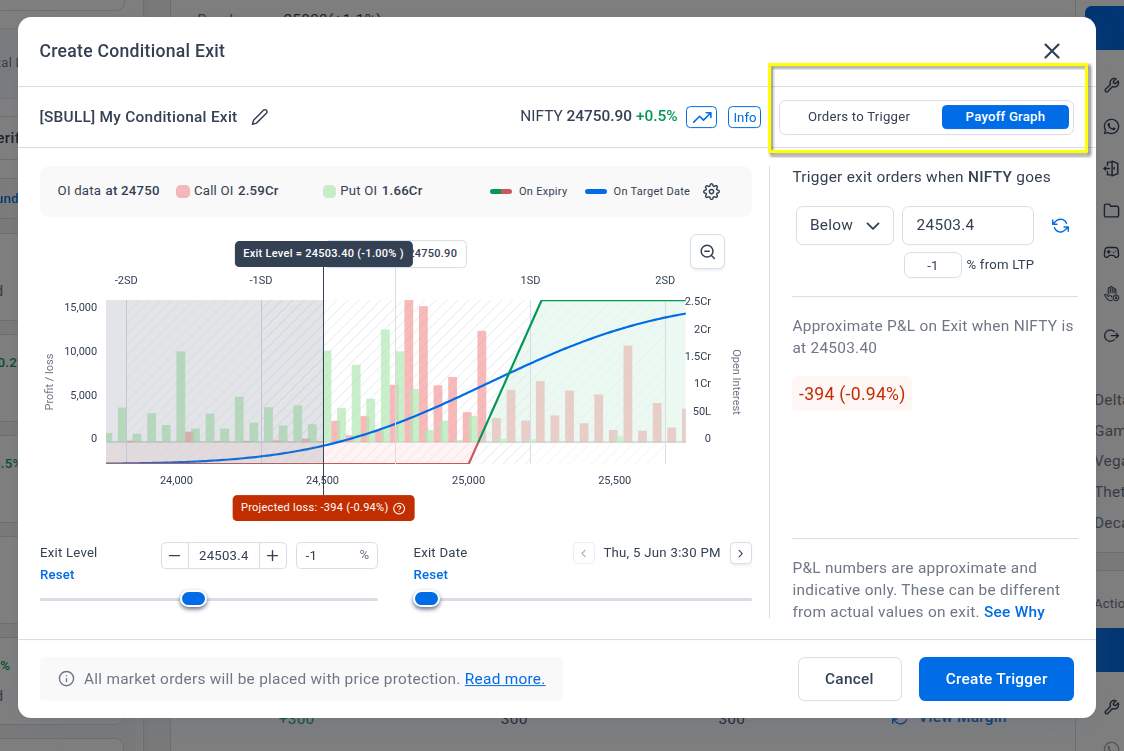
On this tab, you can see the approximate P&L when NIFTY reaches your target level. You can even click on the payoff graph directly to set your exit level.
A note of caution though: this can change based on market conditions (i.e. implied volatility) at the time of your exit, and the exact date on which you exit.
Behind the scenes, this feature is powered entirely by Zerodha’s ‘Alert Triggers Order (ATO)’ feature, and is hence only rolling out to Zerodha users for now. Furthermore, we have limited its availability to just NSE and BSE indices due to liquidity considerations. Which means this will not work on individual stocks (such as SBI, INFY, RELIANCE etc.) for now.
We’re excited for you to try out this feature. Feel free to leave a comment telling us if you like this, and if you want to see any other functionality added to this.
(P.S: The most requested feature is a button that just generates profits auto-magically :P)